Comments
Records such as inspections, observations, vessels, entities, and rejections have a Comments tab for holding a discussion — questions, notes, and updates that stay attached to the record.
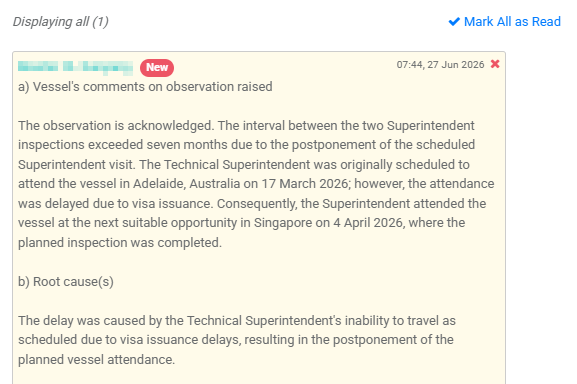
Reading comments
- Comments appear as a thread, with the author and time shown on each. Your own comments are highlighted.
- Comments you haven't seen are marked with a New badge. Select Mark All as Read to clear them.
- If there are many comments, only the most recent are shown — select Load Previous Comments to see earlier ones.
- Comments posted automatically by the system are shown as [System].
Posting a comment
- Type your message in the Enter new comment box at the bottom.
- Select Post.
Note
Comments are part of the record's history. The most recent comment can be removed by an administrator, but comments are generally intended to be a permanent record of the discussion.