Attachments
Many records in VIMS — inspections, observations, vessels, entities, users, tasks, and more — have a Files tab where you can attach documents, images, and PDFs. Attachments all behave the same way.
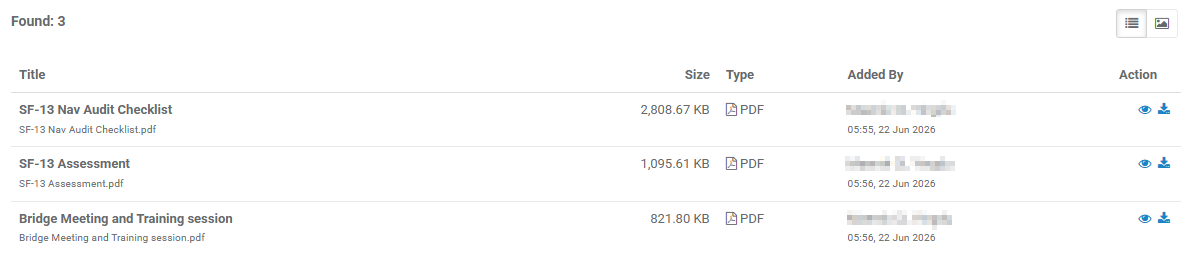
Viewing attachments
- Found: n shows how many files are attached.
- Switch between List view (a table) and Image view (thumbnails) using the view buttons.
- In the list, each file shows its Title, original file name, Size, Type (PDF, Image, or Document), and who added it and when.
Adding a file
- Select Add (top-right). (Available if you have upload permission.)
- Choose the file(s) to upload in the window that opens.
- Confirm to upload. The file then appears in the list.
Working with a file
Each file row offers actions (subject to your permissions):
| Action | What it does |
|---|---|
| View 👁 | Opens the file to preview it. |
| Download ⬇ | Downloads the file to your computer. |
| Edit ✏️ | Opens the Update Title & File Name window, where you can rename the display Title and the File Name. |
| Delete ❌ | Removes the file. |
Who can delete
You can generally delete a file you added; deleting others' files depends on your role.