Audit & Activity Logs
VIMS keeps a history of changes so you can see what happened, when, and by whom. On many records this appears as an Action Log tab.
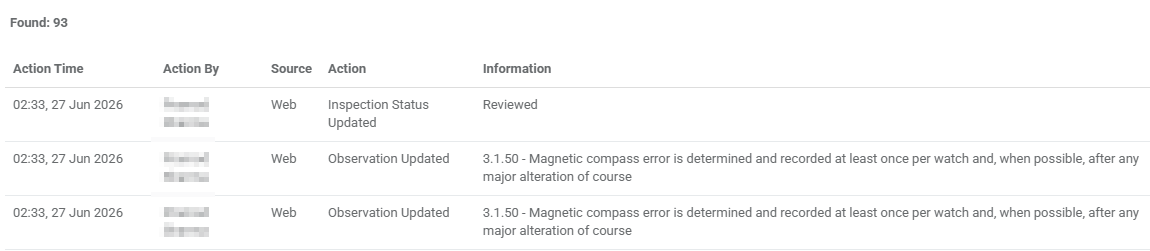
The Action Log
On the detail pages of records such as inspections, vessels, users, and inspection models, the Action Log tab lists the actions taken on that record. Each entry shows:
| Column | Meaning |
|---|---|
| Action Time | When the action happened. |
| Action By | The user who performed it. |
| Source | Where it came from — for example the web app. |
| Action | What was done. |
| Info | Extra detail about the change. |
Where the log is shown on its own, you can filter it by Action By, Action, or Info to find a specific change.
Visibility depends on your role
The Action Log tab only appears if your role has permission to view it.
Tip
The Action Log is the first place to look when you need to understand how a record reached its current state — for example who changed an inspection's status, or when an observation was closed.