Email Log
VIMS sends emails automatically for certain events — for example when a rejection is created or an inspection report is emailed. The Email Log (sidebar → Administration → Email Log) is a record of those emails, useful for confirming that a message was sent and for troubleshooting delivery.
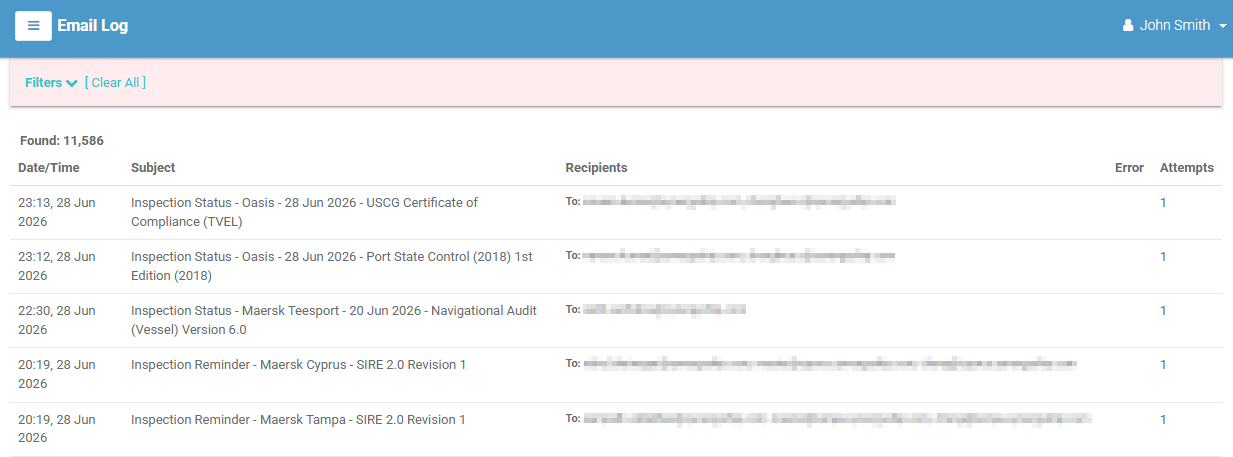
The email list
Each row is one email. Columns:
| Column | Meaning |
|---|---|
| Date/Time | When the email was sent (or added, if not yet sent). |
| Subject | The email subject. |
| Recipients | The To (and Cc) addresses. |
| Error | Any delivery error recorded. |
| Attempts | How many times sending was attempted. |
Select a row to open the full email and read its contents.
Filtering
Select Filters to narrow by Subject, Recipient, or Period (date range). Select [ Clear All ] to reset.
Troubleshooting a missing email
If someone reports not receiving an expected email, search here by subject or recipient. The Error and Attempts columns tell you whether VIMS tried to send it and whether delivery failed.